English
  Deutsch
  ไทย
ไทย  Indonesia
Sep 26 , 2026
NEWS

A table fan can provide focused airflow without taking up the floor space required by a standing fan. But when comparing a table fan with a desk fan, the differences are not simply about size. Airflow direction, noise, power source, speed control, portability, and the space where the fan will be used all affect the right choice.
For home offices, bedrooms, kitchens, dorm rooms, and compact workspaces, understanding these differences makes it easier to choose a fan that delivers comfortable cooling without unnecessary features or noise.
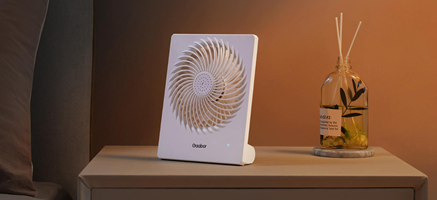
A table fan is a compact fan designed to sit on a stable elevated surface and provide localized airflow, while a desk fan is generally optimized for personal cooling around a workstation.
In practice, the two terms often overlap. A small table fan can work perfectly well on a desk, while a slightly larger desk fan may be suitable for a bedside table or kitchen counter. The more useful question is where the fan will be placed and how much airflow you actually need.
Consider these factors when choosing between them:
Available space: A compact fan is easier to position on a desk, shelf, bedside table, or kitchen counter.
Airflow direction: Adjustable tilt or oscillation can help distribute air across a wider area instead of cooling only one fixed position.
Noise level: For bedrooms and workspaces, motor and blade noise can matter more than maximum airflow.
Portability: A lightweight design is more practical when the fan needs to move between rooms.
For buyers comparing different designs, looking at a Gaabor fan can also provide a useful reference for how compact construction, controls, and portability are combined in personal cooling appliances.
Fan type determines how air is moved through a room and how directly that airflow reaches the user.
A small personal fan normally produces a more concentrated stream of air. This is useful when the user is sitting close to the fan, such as at a desk or beside a bed. Larger fans can move air across a wider area, but size alone does not determine cooling performance.
Noise is another important consideration. A fan with several speed levels allows users to reduce airflow when maximum power is unnecessary. Blade shape, motor design, airflow path, and operating speed can all influence the perceived noise level.
For an office, the ideal setting may be a lower-speed airflow that provides continuous circulation without becoming distracting. In a bedroom, quiet operation may be more important than maximum air volume.
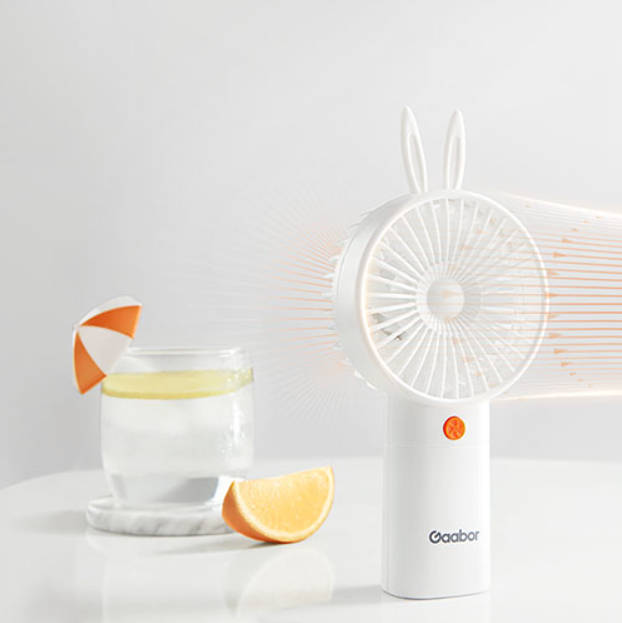
The power source affects where a table fan can be used and how convenient it is for everyday operation.
USB-powered fans are convenient for desks because they can connect to computers, adapters, power banks, or other compatible USB power sources. They are particularly practical when the fan stays near a workstation.
Rechargeable models provide greater freedom because they do not need to remain connected to an outlet during operation. This makes them useful for moving between rooms or using a fan where a power socket is inconvenient.
Wired fans, meanwhile, are suitable for locations where the fan will remain in one place for extended periods. They avoid the need to recharge a battery and can provide consistent operation as long as a suitable power source is available.
The right choice depends on usage rather than simply choosing the newest power technology. A desk fan that stays beside a computer may benefit from USB power, while a portable fan used throughout the home may benefit more from a rechargeable battery.
Blade design and speed control influence how a fan balances airflow, comfort, and operating noise.
Rather than focusing only on the number of blades, buyers should consider how the overall fan design performs at different speeds. A practical table fan should provide useful airflow at lower settings as well as stronger circulation when temperatures rise.
Important features include:
Multiple speed settings: More adjustment allows users to match airflow to different situations.
Adjustable tilt: Vertical adjustment helps direct air toward the face, upper body, or working area.
Oscillation: This can spread airflow across a larger section of a room instead of keeping it in one direction.
Stable base: A well-designed base reduces movement and makes the fan easier to position safely.
For compact appliances, controls should also be easy to reach. Simple buttons or switches can be more convenient for everyday use than complicated interfaces that add functions without improving the actual cooling experience.
A handheld fan is designed primarily for personal mobility, while a standing fan is intended to circulate air across a larger area.
| Fan type | Typical use | Main advantage | Key limitation |
| Table fan | Desk, bedside table, kitchen counter | Compact and focused airflow | Limited coverage |
| Handheld fan | Outdoor use, commuting, personal cooling | Highly portable | Requires handheld positioning |
| Standing fan | Bedroom, living room, larger spaces | Wider airflow coverage | Takes more floor space |
| Desk fan | Office or workstation | Convenient personal cooling | Usually intended for close-range use |
A Gaabor handheld fan can make sense when portability is the priority and cooling needs change throughout the day. By contrast, a table or desk fan is more convenient when hands-free operation is required.
For larger rooms, a standing fan may be more appropriate because the airflow needs to reach a wider area. If the main requirement is cooling one person sitting at a workstation, however, a compact fan can provide a more targeted solution without occupying valuable floor space.
For brands evaluating products for different markets, working with an experienced table fan manufacturer can also help when product selection involves factors such as power configuration, controls, size, and intended market positioning.
Choosing between a table fan, desk fan, handheld fan, or standing fan starts with understanding the space, airflow requirement, power source, and expected usage. Compact fans are particularly useful when targeted cooling, portability, and limited space are important. For everyday workspaces and personal cooling, a well-designed Gaabor fan can combine practical airflow with a compact footprint, while larger fan types may be more suitable when broader room circulation is needed.
The terms are often used interchangeably. Both generally refer to compact fans designed for use on elevated surfaces. The distinction usually depends more on intended placement and product design than on a strict technical standard.
Yes. A compact table fan can work well beside a bed when its airflow direction, stability, and noise level are appropriate for the space.
Neither is universally better. USB fans are convenient near compatible power sources, while rechargeable fans provide more freedom of movement. The better option depends on where and how frequently the fan will be used.
Not necessarily. Higher speed generally produces stronger airflow, but comfortable cooling depends on room conditions, distance, airflow direction, and personal preference. A lower setting may be more suitable for prolonged use.
Focus on airflow, noise, speed control, adjustability, stability, power source, size, and portability. These factors are generally more useful than judging a fan only by its appearance or maximum speed.
A small desk fan is mainly intended for localized airflow rather than whole-room cooling. It can improve air circulation around a particular area, but larger spaces may require a fan designed for wider airflow coverage.
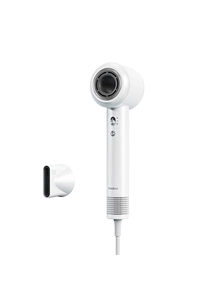
1. Powerful 130K RPM Motor
2. 680M Negative Ions Anti-Frizz
3. Tornado Airflow Design
4. 100/s Temperature Monitoring
MORE

1. 2.0L capacity good for 1-2 person use
2. Multiple Ways to Use:steam, boil, fry, stir-fry, stew
3. Steaming and cooking at the same time
4. Anti-Scald DesignDirect contact without burning your hands
5. Non-stick coating easy to clean
MORE

MORE